Media
When media are imported, Anton normally creates an access copy. This is optimised for use on the web. Unless they are blocked for other reasons, external users only have access to this web version.
Media formats
As a general rule, it is advisable to use as few different formats as possible as input formats. This keeps handling and long-term maintenance more manageable and simpler. There are also file formats that are better suited to archiving than others. Numerous state archives and bodies specialising in digital preservation provide information on this.
For the following formats, Anton produces access copies; an extension can easily be implemented at any time if required. Importing other formats is possible but should be tested where feasible. Some formats are not converted (e.g. DOCX, XLSX, TXT, ZIP).
Photo
- TIFF
- JPEG2000
- PNG
- JPEG
Documents
- PDF/A
Video
- MP4
- Quicktime
Audio
- WAF
- MPEG
- MP3
Technical metadata (AV)
On upload, Anton automatically reads technical properties via ffprobe and
displays them in the media tab of the detail page: duration, resolution, codec,
bitrate, sample rate, aspect ratio — as far as these are meaningful for the
respective file. For photographs only the image size is shown, for audio no
resolution, and so on.
The values are also delivered in the RDF export (Memobase profile) as EBUcore
properties, see RDF export. For older existing media,
the fields can be filled in retrospectively by backfill — see
media:extract-av-metadata.
Changing the order of media
The order of the media of a unit of description can be changed without having to delete them and upload them again.
In the media tab of the unit of description, each medium has a pair of arrow buttons (↑ ↓). A click moves the medium one position within its collection. On the first and the last medium, the respective button is disabled.
The order applies to the display in the catalogue, in the gallery and in the viewer — it is the same order that is assigned on upload.
Images and documents are sorted separately: an image cannot swap places with a document.
Reordering is a visible change and is recorded accordingly on the record (modification date, editing person, edit log). It requires the same permission as deleting a medium.
Providing original media
To make the original media available to customers, open the media tab in a unit of description:
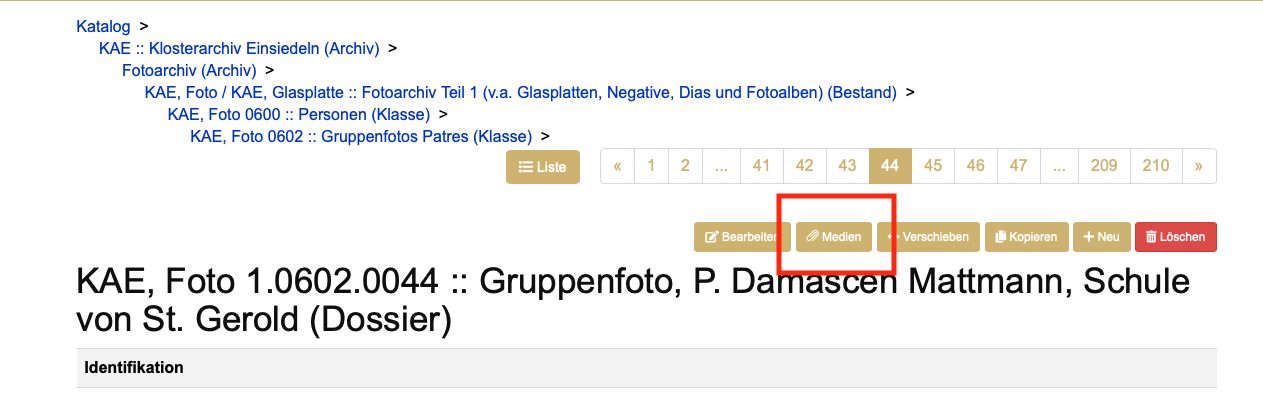
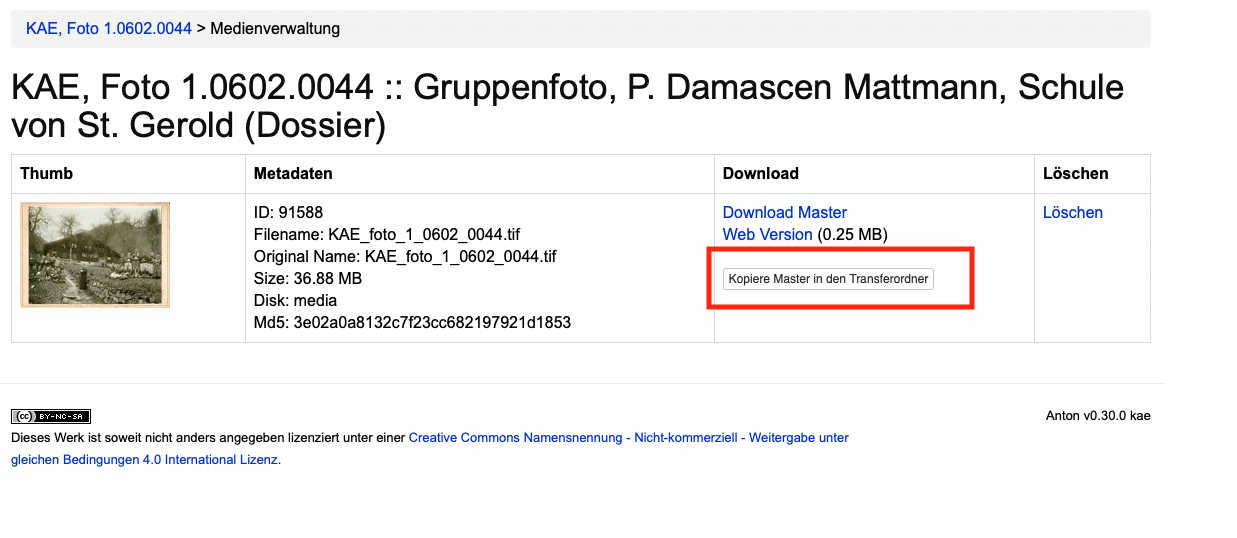
There, click the «Copy master to the transfer folder» button.
Copy the link by clicking «Copy link to clipboard».
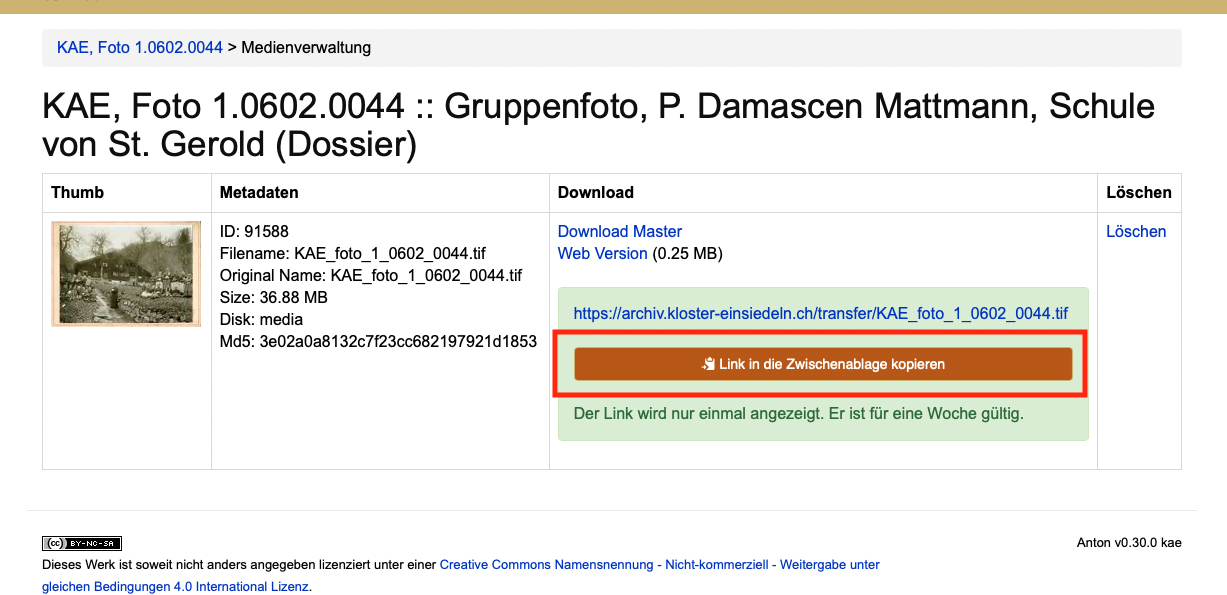
Send the link to the customer by email. The link is valid for one week, after which the copied file is deleted automatically.